Place a QR code card for guests to scan with their own phone — or mount a dedicated tablet that's always on and ready. Each table is independently linked to your branch menu from the dashboard.
Whether on their own phone or the table tablet, the guest sees the same full digital menu — categories, items, descriptions. They add, review, and confirm without flagging anyone.
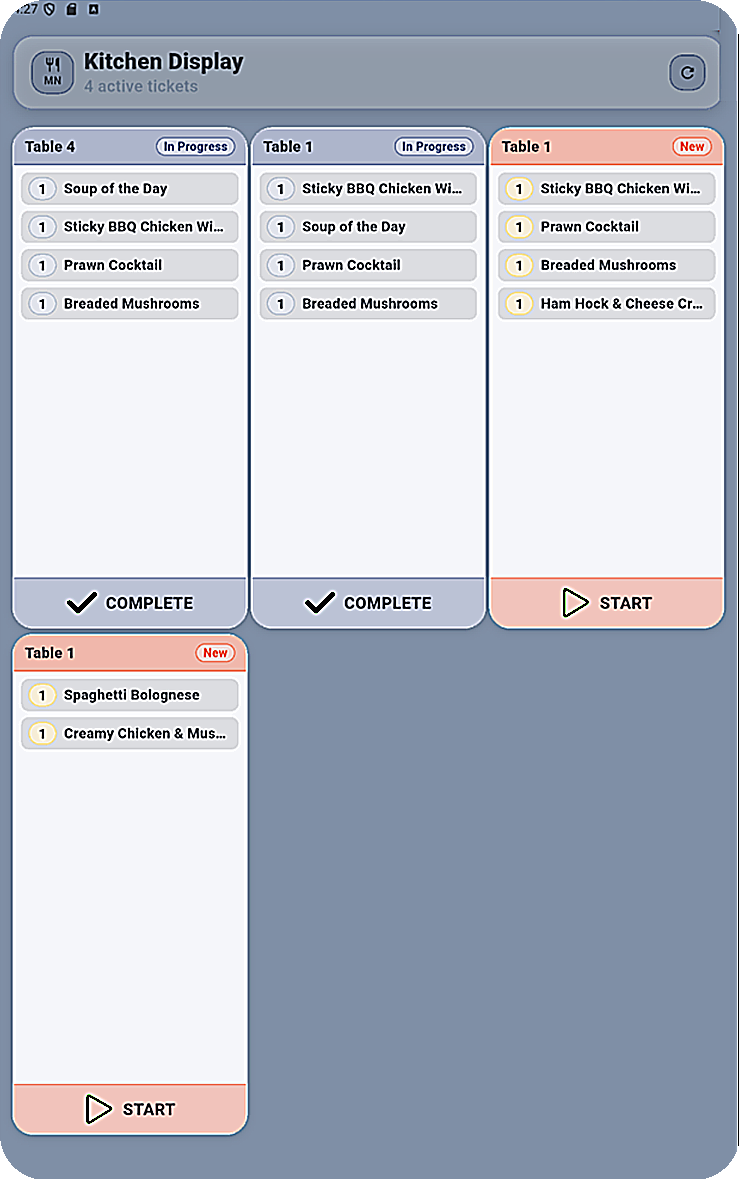
The moment they confirm, a live ticket appears in the Kitchen App. No relay, no paper, no verbal handoff. The order is in the system and the kitchen is already working on it.
The QR ordering moment is just the guest-facing tip of a live operational system. Every role — kitchen, service, management — runs a dedicated app connected to the same real-time data.
Guests can order via a QR code they scan with their own phone — no download, no account, the menu loads straight in their browser. Or from a dedicated tablet you've installed at the table — always on, always ready. Restaurant owners can run one mode or both simultaneously. Either way, the guest browses the full branch menu, places their order, and tracks its progress — all from the same Table App surface.
Orders arrive as structured live tickets with queue context. Kitchen staff advance each ticket through stages — no chasing the floor, no verbal relay. The queue reflects real priority.
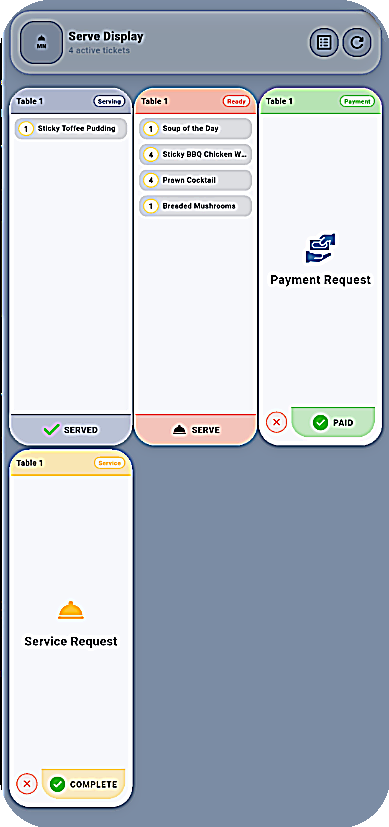
Service staff see what's fired, what's ready, and which tables need attention — all without checking with the kitchen. Payment signals surface automatically at the right moment.
Branch leaders monitor active orders, table status, and staff activity in real time. Spot a slowdown while service is still in motion — not in a post-shift report.
Before a single guest scans a code, you've already built the entire system — branches, menus, tables, QR codes, and staff accounts — from one web console. Once it's live, it runs itself.
Sign up, verify your email, set up your restaurant profile and add as many branches as you operate.
Create categories and menu items. Each branch serves its own menu — same system, separate control.
Set up tables for each branch and generate a unique QR code per table. Print them, place them — done.
Add kitchen, service, and admin accounts. Each role opens the right app with the right view automatically.
Open service. Guests scan. Orders hit the kitchen. Your staff coordinate through their dedicated apps in real time.
A complete operational loop — not a collection of disconnected tools. Every role, every surface, one shared live system.
No app download, no account. The menu loads in any phone browser — scan, browse, and order in under 30 seconds from any device.
Install a tablet at the table for an always-on ordering surface. Ideal for high-volume venues or anywhere a permanent device makes more sense.
Orders reach the kitchen the instant the guest confirms — whether from a phone or tablet. Live updates propagate across every app simultaneously.
Manage separate menus, tables, and staff across multiple branches — all from one account, with one consistent system underneath.
Set up your menus, generate QR codes for every table, and go live in a single session. If your restaurant is ready to run as one connected system instead of a chain of handoffs, MenuNest is ready for you.